
The family chore display
The chores get done. Without the nagging.
Chore Chart turns a spare tablet into a family display your kids actually check. They see what’s theirs, tap it done, and earn stars. You stop repeating yourself.

- Free to start
- Use a tablet you own
- Set up in minutes
Any spare iPad, Fire tablet, or old Android
Watch them check it off. No reminding needed.
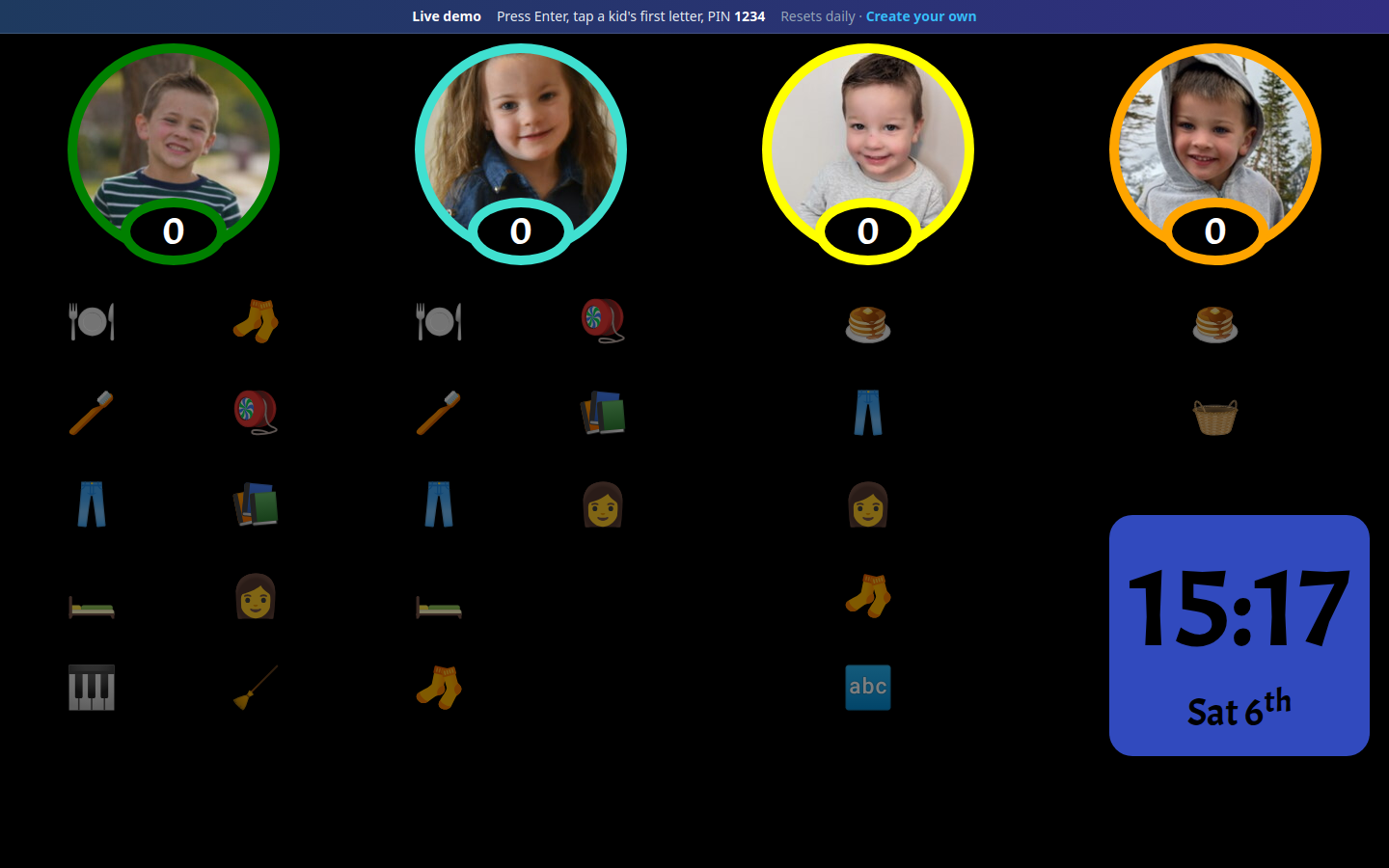
Kids walk up to the display, see what’s theirs, and get it done.
Transform your kids into chore-doers, not chore-dodgers.
They see what’s theirs, tap it done, and earn stars.
Chores kids own. You get help.
A chart that lives on a shared display, not buried in an app, so kids build the habit and you stop carrying every reminder.
-
They check it, not you
Each child taps their photo, sees their chores, and marks them done. You ask fewer times.
-
Fair turns. Fewer fights.
Shared jobs like dishes rotate between kids on a schedule, so you’re not the referee.
-
Stars, not sticker charts
Kids earn stars on the display. Celebrate progress without rebuilding a paper chart every week.
See it in action. No signup.
Open the shared demo family and try checking chores off the way your kids would.
Open live demoBest on a tablet by the fridge.
Set it up once. Kids take it from there.
About ten minutes for most families. Then park an old tablet where everyone can see it.
-
Add your kids
Photos and colors so each child has their own column.
-
Choose their chores
Daily routines, weekly jobs, and fair rotating zones.
-
Open the family display
Full-screen on any spare tablet you already own.
In the loop. Out of the chase.
Peek at progress, tweak a kid’s list, and keep the family display honest without hovering.
Questions parents ask. Straight answers.
The short version: spare tablet, free to start, built for a shared display not another phone app.
- Do I need to buy a special display?
- No. Chore Chart runs in a browser on a spare iPad, Fire tablet, or old Android you already own. Park it where everyone can see it as your family chore display.
- What about really old Android tablets?
- If your tablet is too old for the main Chore Chart app, install Chore Chart Display — a lightweight kitchen-screen app for older Android devices. Get Chore Chart Display on Google Play
- Is Chore Chart free?
- Yes. You can get started free, set up your kids and chores, and try the live demo without signing up.
- How is this different from a phone chore app?
- Phone apps bury chores in a pocket. Chore Chart is built for a shared display kids can walk up to, see their list, and check off without a parent handing over a phone.
- Can more than one parent manage the chart?
- Yes. Invite a co-parent so both adults can update kids, chores, and shared zones from their own devices.
Chores, handled. Nagging, retired.
Try the live demo on a tablet, or set up your own family chart in minutes.